

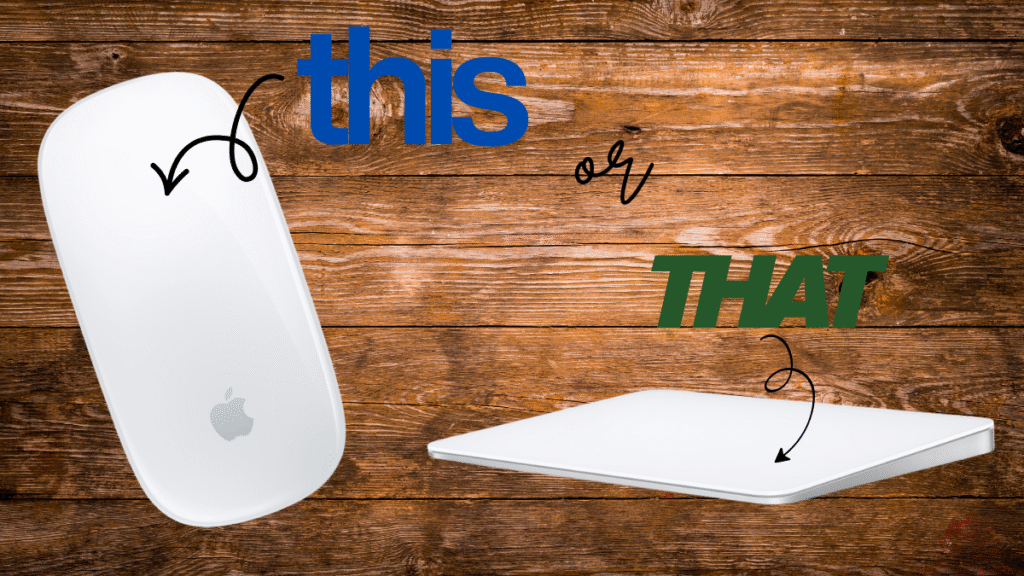
Apple users are no strangers to sleek design and seamless functionality—and when it comes to picking between Apple’s Magic Mouse 2 and Magic Trackpad, the debate gets surprisingly passionate. Both are elegant wireless accessories designed to elevate your Mac experience, but they offer different feels, features, and workflows. As someone who personally loves my Magic Mouse 2 (more on why in a minute), let’s break down the pros and cons of both to help you pick your perfect match.

- Magic Mouse is wireless and rechargeable, with an optimised foot design that lets it glide smoothly across your desk.
- The Multi-Touch surface allows you to perform simple gestures such as swiping between web pages and scrolling through do…
- The rechargeable battery will power your Magic Mouse for about a month or more between charges.
Design and Feel: The Tactile Showdown
Magic Mouse 2: The Magic Mouse 2 is slim, lightweight, and ultra-smooth to glide across your desk. Its low-profile, curved design fits snugly in your hand—once you get used to the sleek shape, it becomes second nature. The multitouch surface lets you perform gestures like swipes and scrolls effortlessly. The downside? The charging port is cleverly hidden on the bottom, which means you can’t really use it while charging. For me, this minor inconvenience is softened by the fact that the mouse charges pretty quickly and lasts several weeks on a full charge.
Magic Trackpad: The Magic Trackpad offers a large, glass, flat surface that lets you use all the Mac gestures your fingers can muster—pinch to zoom, rotate, swipe, and more. It feels more like using a giant iPhone touchscreen than a traditional mouse. You get more room to move and control, plus Force Touch capabilities that add pressure-sensitive options. It’s larger and takes up more desk space but offers a smooth, precise experience for trackpad fans.

- Magic Trackpad 2 is rechargeable with a built-in battery and brings Force Touch to the desktop for the first time.
- Four force sensors underneath the trackpad surface allow you to click anywhere, and detect subtle differences in the amo…
- Magic Trackpad 2 also features an edge-to-edge glass surface area that is nearly 30 percent larger than the previous tra…
Gestures and User Experience
- Magic Mouse 2: Supports basic multitouch gestures, including two-finger swipe for navigating web pages or scrolling documents, and tap for right-click or secondary functions. It’s simple but effective, making it a handy tool for day-to-day Mac tasks.
- Magic Trackpad: Provides a richer gesture set including Force Touch, three- and four-finger swipes, and customizable options. If you’re a power user who loves shortcuts and deep gesture controls, the trackpad is incredibly versatile.
Charging and Battery Life
Both devices feature built-in rechargeable batteries:
- Magic Mouse 2: Charging underneath means you have to put it down for a few minutes while it juices up—hardly disruptive since charging is fast and battery life can last several weeks.
- Magic Trackpad: The charging port is at the back edge, so you can still use it while plugged in, which is handy for overnight charges or heavy usage days. The battery life is similarly long-lasting.
Portability and Desk Space
The Magic Mouse 2 is more compact, making it easier to slip into a laptop bag or use on the go. The Magic Trackpad’s larger footprint is more suited to a permanent desk setup where generous hand movement is preferred.
Personal Verdict: Why I Love My Magic Mouse 2
I’m all about portability, sleek design, and intuitive control, so the Magic Mouse 2 checks all the boxes for me despite the quirky charging port placement. The quick charge times mean it’s never offline for long, and those weeks of battery life mean I rarely need to plug it in. Its minimalist design fits perfectly in my hand, making scrolling through documents and navigating macOS feel fluid and natural.
- Magic Mouse is wireless and rechargeable, with an optimised foot design that lets it glide smoothly across your desk.
- The Multi-Touch surface allows you to perform simple gestures such as swiping between web pages and scrolling through do…
- The rechargeable battery will power your Magic Mouse for about a month or more between charges.
Who Should Choose What?
| Feature | Magic Mouse 2 | Magic Trackpad |
|---|---|---|
| Design | Slim, curved, portable | Larger, flat, like a mini touchscreen |
| Gestures | Basic multitouch, swipe & tap | Advanced gestures, Force Touch |
| Charging Port | Underneath, quick charge but unusable during charging | Back, can use while charging |
| Battery Life | Several weeks per charge | Similar battery life |
| Portability | More portable, easier to take anywhere | Best for desktop use |
| User Type | Everyday users, those who prefer a mouse feel | Power users, gesture lovers |
- Magic Trackpad 2 is rechargeable with a built-in battery and brings Force Touch to the desktop for the first time.
- Four force sensors underneath the trackpad surface allow you to click anywhere, and detect subtle differences in the amo…
- Magic Trackpad 2 also features an edge-to-edge glass surface area that is nearly 30 percent larger than the previous tra…
Final Thoughts
Both the Magic Mouse 2 and Magic Trackpad offer excellent, macOS-optimized experiences. If you want quick, smooth, portable control with a sleek footprint, and can handle a brief charging pause (which isn’t a big deal thanks to fast charging), the Magic Mouse 2 is a fantastic choice. If you love rich gestures and a touchscreen-like experience and don’t mind a bigger desk presence, the Magic Trackpad is hard to beat.
Whichever you choose, Apple’s ecosystem shines with both options ensuring seamless, responsive control.
Which do you prefer: the Magic Mouse 2 or the Magic Trackpad? Drop your thoughts and tips in the comments— I love hearing how you navigate your Mac!
Disclaimer: This post may contain affiliate links. Purchases via these links support this blog at no extra cost to you and help me review more great tech.